


 Tally Services
 Tally Customization
 Tally Implementation
 Tally Integration
 Tally Manpower Solutions

Here's a ten-minute exercise to do before you call any web agency. (Us included.)
Open your five most important pages. Next to each one, write the single biggest thing wrong with it. Don't think too hard. First answer wins.
Now sort that list into two piles.
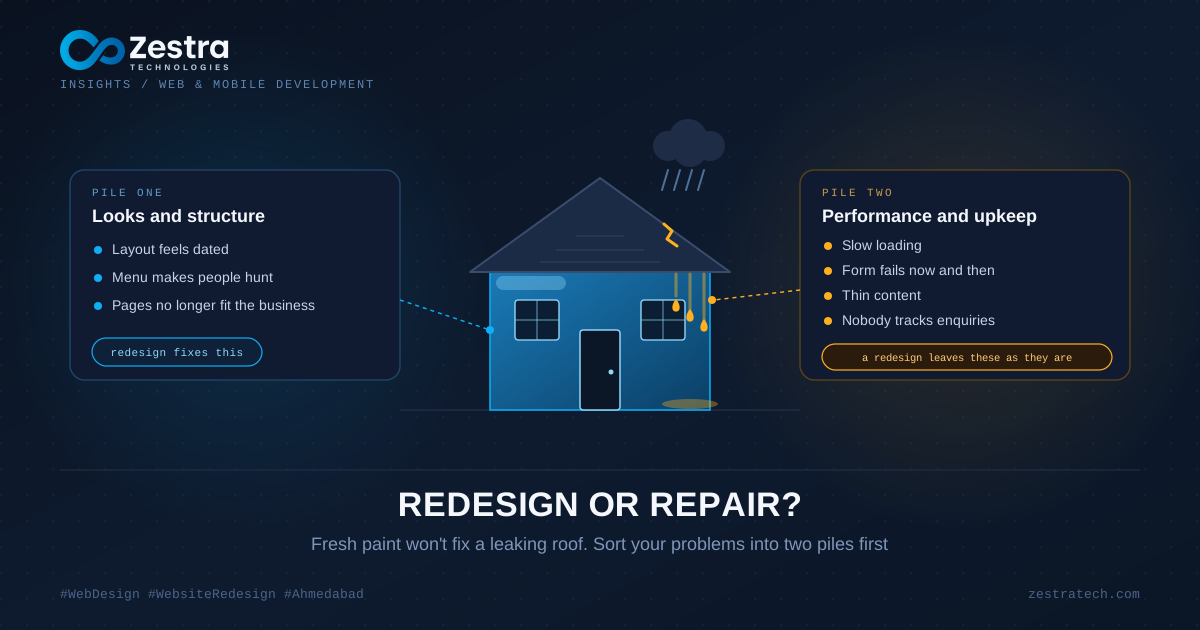
Pile One and Pile Two
Pile one is about looks and structure. The layout feels old. The menu makes people hunt. The pages don't fit the way the business works today.
Pile two is about how the site performs and how well it's looked after. Slow loading. A contact form that fails now and then. Thin content. Nobody knows where enquiries come from.
A redesign fixes pile one. It does almost nothing for pile two, and that's the bit people miss. If the old site loaded eight megabytes of scripts, the new one will too, only prettier. Think of repainting a house whose roof leaks. The walls look lovely for one monsoon.
The Roof First
Pile two jobs are cheaper and quicker than a rebuild, and they often move the numbers more. Speed, tracking, security patches, broken forms, a half-filled Google Business profile, pages that say nothing useful. Sort those before you spend on design, or at least in the same project.
When It Really Is a Rebuild
Sometimes the problem sits deeper than paint.
The business changed. You sell different things now, or to different people, and the site still tells the old story. Patching that only gives you a patched version of the wrong story.
The template boxes you in. If you can't arrange a page to lead a visitor toward an enquiry because the layout is locked, small tweaks won't get you far.
You can't edit it yourself. When changing one line of text means calling a developer, the text stops changing. Sites that stop changing slowly lose ground, both with Google and with people.
The software underneath is out of support. Nobody's patching it, and the risk only grows with time.
And if phone visitors get a squashed copy of the desktop page, the structure needs rethinking, not just resizing.
Check Your Numbers Before You Decide
Open your analytics. You want three answers: which pages get the most visits from search, which pages lead to enquiries, and where people leave. Then load the site on a real phone over mobile data and watch what happens. Ten minutes of this can save you from redesigning something that was already working.
This tells you what's worth protecting. A tired-looking site with a few pages that rank and convert is not a blank sheet. A site with nothing ranking and no enquiries has little to lose, so a fresh start costs less than it sounds.
The Part That Bites After Launch
Rebuilds can wipe out your search rankings without anyone noticing for weeks.
Here's how. The new site puts pages at new addresses. Google sees the old addresses vanish, and the ranking those pages earned over years goes with them, unless each old address points to its new home with a permanent redirect. Miss that step and you've thrown away your best asset to get a nicer homepage.
Before the project starts, export every current URL and mark the ones that bring traffic. Keep those addresses, or redirect each changed one to its closest match. In the weeks after launch, watch Search Console. If visits fall off a cliff the week the new site goes live, this is almost always why, and you can fix it if you catch it quickly.
Clean Out the Cupboard
Most sites are carrying pages nobody visits, two pages saying the same thing in different words, and a news item from four years ago still sitting in the menu. A rebuild is the cheapest time to deal with all of it, because you're touching every page anyway.
Put each page in one of four boxes: keep, improve, merge, drop. Pages that rank or convert stay and get better. Duplicates merge into one stronger page. Pages with no purpose go, with a redirect so nobody lands on an error. You end up with a clearer site and fewer pages to look after.
You Don't Have to Do Everything at Once
There's a middle route that suits plenty of businesses. Fix speed and tracking first. Redo the five pages that matter most. Then spread the new design outwards as results justify it. Each step can be measured, and a wrong turn costs you one step instead of the whole budget.
What to Ask Whoever You Hire
Will you look at our analytics before proposing anything? How will you protect the rankings our current pages hold? What stays from the old site and what goes? Can our own team edit the new one without calling you? How will we know, three months in, that it's doing better than the old one?
If those questions get vague answers, that tells you something too. Want a second opinion on repair, redesign or both? Write to us through the contact page.