







 Tally Services
 Tally Customization
 Tally Implementation
 Tally Integration
 Tally Manpower Solutions
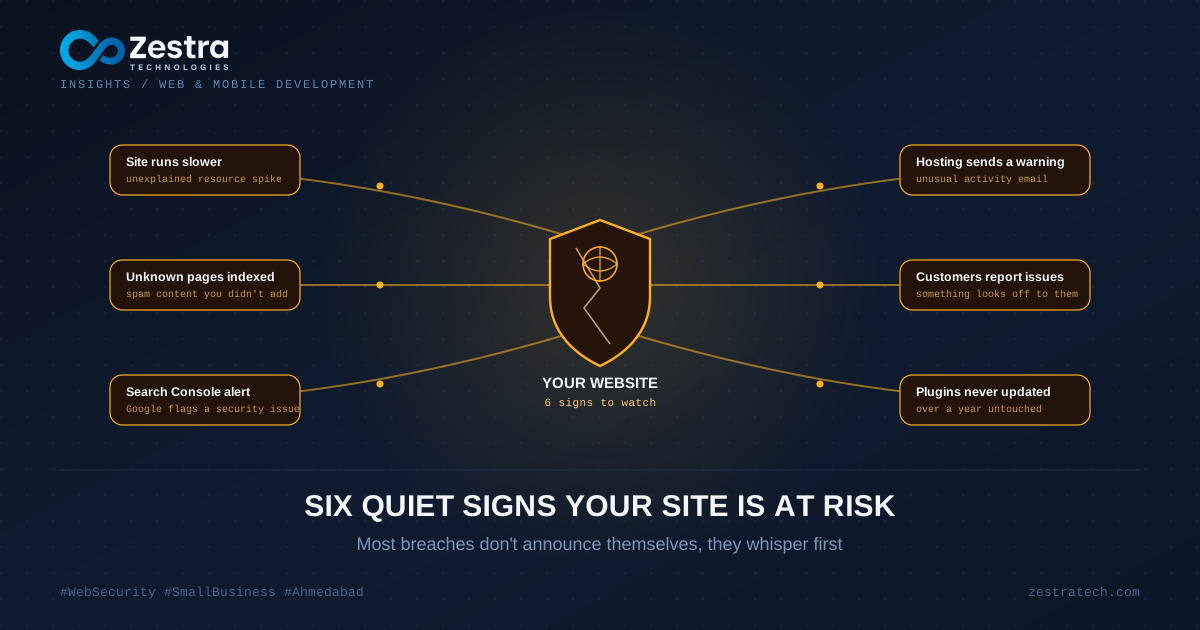
A travel agency in Ahmedabad found out their site had been compromised when a longtime customer called, confused, asking why their booking page suddenly redirected to a site selling counterfeit watches. The owner hadn't noticed anything wrong. He checked the homepage daily, it looked fine. The malicious redirect only fired for visitors coming from Google search results, a trick specifically designed to stay invisible to the site owner while quietly damaging the business with everyone else.
This is closer to how most small business website breaches actually look. Not a dramatic ransom message on your homepage, but something small and strange that's easy to explain away until it isn't.
Your Site Suddenly Feels Slower, for No Clear Reason
A compromised website is often running something extra in the background that you didn't put there, a cryptocurrency miner, a script sending spam emails, code quietly scanning for other sites to infect. None of that shows up visually, but it eats server resources, and your actual site gets slower as a side effect. If your hosting usage spiked and nobody added new features or got more traffic, that mismatch is worth investigating rather than shrugging off.
Google Search Console Is Sending You Warnings
If you've connected Google Search Console (and if you haven't, that's worth doing regardless), check it occasionally for security issue notices. Google actively scans indexed sites for malware and phishing content and will flag your site directly, sometimes before you'd ever notice anything yourself. A lot of business owners never check this panel until a customer tells them the site got flagged as unsafe in their browser.
Strange Pages Exist That You Never Created
This is one of the clearest signs and one of the easiest to miss, because these pages are built specifically not to be found by a casual look at your homepage. Search your own site in Google using site:yourdomain.com occasionally. If pages show up selling pharmaceuticals, replica products, or gambling content that you never created, your site has likely been compromised and is being used to host someone else's spam content, which also tends to tank your actual SEO rankings as collateral damage.
Your Hosting Sends You an Email You Don't Understand
Hosting providers often detect unusual activity before you do, outbound spam email volume spiking, unusual login attempts, a sudden spike in outbound traffic. These emails get written in fairly technical language and a lot of business owners forward them straight to spam without reading closely. If your host flags something, it's worth getting someone technical to actually look rather than dismissing it.
Customers Mention Something You Can't See
The travel agency only found out because a customer called. This is more common than it should be. Malicious code is frequently built to behave differently depending on who's visiting, showing clean content to the site owner's usual browsing pattern while serving malicious redirects or ads to visitors coming from search engines or specific countries. If more than one customer independently mentions something odd about your site, that pattern is worth taking seriously even if you can't reproduce it yourself.
Nobody Has Updated the Site's Core Software in Over a Year
This isn't a symptom you'll notice, it's a cause waiting to become one. WordPress, plugins, server software, all of these get security patches regularly because vulnerabilities get discovered constantly. A site running outdated software is sitting with known, publicly documented weaknesses that automated bots actively scan the internet for, constantly, regardless of how small or unimportant your business feels. Most actual breaches we've investigated for clients traced back to an outdated plugin or an old WordPress core version that simply never got updated after launch.
What This Usually Costs, Beyond the Obvious
The direct cleanup cost is rarely the expensive part. What actually hurts is the SEO damage from months of spam content indexed under your domain, the customer trust lost when someone's browser shows a security warning on your site, and the time spent untangling what happened after the fact instead of catching it early. A breach caught in week one is a cleanup. A breach caught eight months later, after Google has already penalized your rankings and a chunk of your customer base has quietly lost confidence, is a much bigger rebuild.
What Actually Helps, Practically
Keep your CMS, plugins, and server software updated on a real schedule, not whenever someone remembers. Use strong, unique admin passwords and enable two-factor authentication on your hosting and CMS logins specifically, since these are the accounts attackers target first. Check Google Search Console periodically rather than only after a customer complains. Keep backups that are actually tested, not just scheduled and forgotten, since a backup you've never tried restoring isn't a real safety net.
None of this requires a security expert on staff. It requires someone treating it as an ongoing responsibility rather than a one-time setup task during the original build.
If Something Feels Off
Trust the small, hard-to-explain signals more than you probably do. If your gut says something's slightly wrong with your site, even without clear evidence, that instinct is worth fifteen minutes of actually checking rather than dismissing. Our team handles security audits and cleanup as part of our web development company work, and if you want a second opinion on something that's been nagging at you, reach out. Sometimes it's nothing. Sometimes catching it in week one saves you the eight-month version of this story.